Thursday, December 11, 2025

7 Essential Accessibility Tools Every Student Should Know

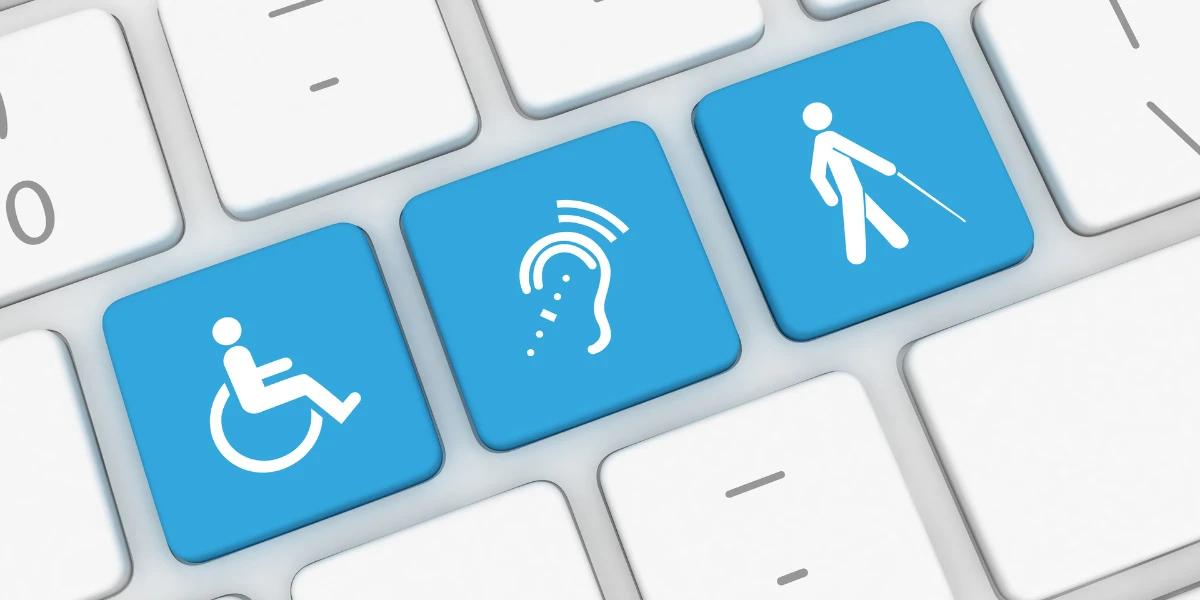
Accessibility tools aren’t designed just for students diagnosed with disabilities; they are for anyone who wants to improve their learning capabilities effectively and comfortably. Whether a student struggles with reading, writing, organization, vision, hearing, or focus, the right tool can remove stumbling blocks and open doors to success.

Here are seven powerful accessibility tools, along with the key features that make each one especially helpful for students.

1. Text-to-Speech Tools (e.g., Read&Write, NaturalReader)

Text-to-speech software reads digital text aloud, making content more accessible for students who benefit from hearing information.

Why it’s helpful:

  • Supports students with dyslexia, visual impairments, ADHD, and multilingual learners

  • Helps students follow along with complex readings

  • Offers adjustable speed and voice options

  • Works with websites, PDFs, and digital textbooks

2. Speech-to-Text Tools (e.g., Dictation in Google Docs, Dragon Anywhere)

These tools let students speak their ideas instead of typing.

Why it’s helpful:

  • Reduces writing fatigue

  • Helps students who struggle with spelling or handwriting

  • Gives students a way to capture thoughts quickly before they lose them

  • Encourages confidence by letting them focus on ideas, not mechanics

Great for students who think faster than they type.

3. Screen Readers (e.g., NVDA, JAWS, VoiceOver)

Screen readers read everything on the screen including menus, buttons, and images making devices accessible for blind and low-vision students.

Why it’s helpful:

  • Converts full screen content into speech or braille

  • Supports navigation without a mouse

  • Helps students independently explore learning platforms, documents, and websites

4. Closed Captioning & Transcription Tools (e.g., YouTube Captions, Otter.ai)

Captions provide text versions of audio in videos, lectures, and presentations.

Why it’s helpful:

  • Vital for students who are deaf or hard of hearing

  • Helps multilingual learners follow spoken content

  • Makes lectures easier to review later

  • Improves focus by pairing audio and text

Turning on captions can instantly make videos more accessible for everyone.

5. Visual Organization Tools (e.g., MindMeister, Inspiration Maps)

Visual learning tools help students organize thoughts, break down tasks, and plan writing.

Why it’s helpful:

  • Supports students with executive functioning challenges

  • Makes brainstorming more engaging and less overwhelming

  • Helps students see relationships between ideas

  • Creates clear outlines for essays or projects

Organization doesn’t have to be complicated sometimes it just needs to be visual.

6. Color Contrast & Screen Adjustment Tools (e.g., Windows Ease of Access, Dark Mode, Color Filters)

These built-in features reduce eye strain and support students with visual sensitivities or color blindness.

Why it’s helpful:

  • Adjusts contrast, brightness, and color filters

  • Reads text more comfortably for students with low vision or light sensitivity

  • Helps distinguish colors for color-blind students

  • Makes long screen sessions less tiring

A few small adjustments can make a big difference in comfort and readability.

7. Focus and Distraction-Management Tools (e.g., Focus Assist, Forest, Chrome extensions)

These tools create calmer digital environments so students can stay on task.

Why it’s helpful:

  • Blocks distracting sites

  • Creates timed work sessions

  • Supports students with ADHD or attention challenges

With fewer distractions, learning becomes more efficient and less stressful.

Final Thoughts

Accessibility tools give students more control over how they learn. They promote independence, confidence, and success whether a student needs audio support, visual support, writing help, or simply a little more organization. These tools are about empowering every student to engage with the world in a way that fits their needs.

Source

"7 Essential Accessibility Tools Every Student Should Know" prompt. ChatGPT, GPT-4o model, OpenAI, 11 Dec. 2025, chatgpt.com/c/693af315-a120-8326-801d-abcfb06288cc.


Wednesday, December 10, 2025

Service-Learning Classrooms

The WE Schools service-learning framework gives students a outlets to become leaders of change. Using the WE Virtual Learning Center, the model breaks the process into four simple steps that connect classroom learning with real-world impact.

1. Investigate and Learn:
In my classroom, this step helps students build a solid foundation of understanding. They explore a local or global issue, discuss their findings in groups, and take notes to deepen their thinking. The worksheets are helpful because it pushes students to understand the root causes by asking questions like “Why does this problem exist?”

2. Action Plan:
Once students understand the issue, they create a thoughtful and realistic plan. We work on setting S.M.A.R.T. goals so their ideas have direction. Instead of saying something vague like collect clothes, they would craft a goal such as to organize a coat and blanket drive this winter, setting a clear timeline and purpose.

3. Take Action:
This is where students bring their plan to life. Their action might involve advocacy, direct service, or indirect support depending on the issue they chose. For example, they might run a food drive, gather signatures for a petition, or encourage others to make a sustainability pledge.

4. Report and Celebrate:
In the final step, students highlight what they accomplished and reflect on their growth. They look at measurable results such as how many items were collected or how much money was raised, and celebrate their teamwork and effort. This reflection helps them recognize the skills they developed like empathy, collaboration, and leadership.

By following these four steps, I can blend academic learning with meaningful community engagement, helping students build problem-solving and social skills they’ll carry with them into the future.

7 Accessibility Tools

    Accessibility Tools plays a huge role in creating an equal academic experience for all students. By providing specialized tools, equipment, and software, accessibility tools supports learners with disabilities or learning differences and helps them overcome challenges in areas like reading, writing, listening, and note-taking. Below are seven cool accessibility tools and how they help students succeed.

Custom ADA Signage | Color Reflections


1. Read&Write (Reading and Writing Support)
  • Read&Write is a versatile tool that makes digital content much more accessible. Its simple toolbar sits on top of webpages and documents and offers features that many students rely on every day.
  • Reads text aloud, which is especially helpful for English Language Learners and students with reading difficulties.
  • Supports writing and research with tools that help students proof their work and find information.
  • Unlocks written content through high-quality text-to-speech, helping students better understand what they read.

2. Glean (Note-Taking and Information Management)
  • For students who have difficulty keeping up with lectures, Glean provides an organized way to capture and review information.
  • Records and organizes lecture content in a clean, user-friendly interface.
  • Allows audio annotation, making it easy to highlight important moments.
  • Improves focus, helping students study more effectively and retain more information.

3. JAWS (Screen Reader for Blind and Low-Vision Users)
  • JAWS (Job Access With Speech) is one of the most widely used screen readers for students who cannot rely on a mouse or visual cues.
  • Provides full access to digital environments, reading screen content aloud.
  • Works seamlessly on Windows, especially when paired with the Chrome browser for Google Workspace.

4. VoiceOver (Built-In Apple Screen Reader)
  • Apple’s built-in screen reader, VoiceOver, gives Mac, iPhone, and iPad users a powerful accessibility option without needing extra software.
  • Reads menus, icons, and text aloud, making navigation easier.
  • Supports low-vision and blind students, and is fully compatible with Google Workspace through Chrome on macOS.

5. Google Docs Accessibility Features (Inclusive Collaboration)
  • Google Docs includes several built-in accessibility features that make collaboration smoother for everyone.
  • Works with screen readers for navigation and editing.
  • Supports braille displays, allowing students to read and write in braille.
  • Offers voice typing, which is extremely helpful for students who struggle with physical writing or typing.

6. C-Pen Reader (Portable Text-to-Speech Tool)
  • The C-Pen Reader is a convenient handheld device for students who need immediate reading support with printed text.
  • Scans and reads text aloud in a clear, human-like voice.
  • Supports multiple languages, including English, Spanish, and French.
  • Often provided through accommodations, making it accessible to students who qualify.

7. Mathshare (Math Support for Learning Differences)
  • Mathshare helps students who benefit from breaking math problems into manageable steps.
  • Lets students organize complex problems into smaller, clearer chunks.
  • Improves focus and structure, making math less overwhelming and more approachable.

    Together these seven tools spreading from literacy, note-taking, screen reading, and math show how powerful assistive technology can be. When used thoughtfully, accessibility tools helps students work more independently, participate fully, and reach their academic potential.

Assistance with NotebookLM

Thursday, December 4, 2025

VR & AR to Build Meaningful Global Collaboration


Virtual and augmented reality let students experience places, people, and events they otherwise couldn’t. VR boosts engagement and leads to stronger learning when used collaboratively. When VR is combined with collaborative projects, it becomes a bridge for cross-cultural communication. Virtual Reality field trips - for example - let students from different countries experience the same environment, giving everyone a shared starting point for exploring and discussing ideas.

The AR technology seems like something out of a movie that we are years away from being able to achieve but these tools are already being used in some classrooms around the world. Here are some ideas on how to implement them and a short demonstration of how in can be used in a chemistry class:


One of my favorite VR tools is Youtube 360: a collection of immersive, 360-degree videos that let viewers look around in any direction. I like it because Instead of watching a flat video, students can explore the environment as if they’re standing inside it. It can be used in the classroom for things like this, but it can also be used as research for a trip or to explore places like these without having to actually visit them.


Wednesday, December 3, 2025

Exploring WE Teachers

Browsing the site, what immediately stood out to me was that WE Teachers is a free program for educators nationwide: a kind of “teacher-toolkit” that offers professional development on trauma-informed practices. They offer learning modules, courses, workshops, resources, lesson plans, and a video library.


As I think about how I want to set up my future classroom, I realize that the WE Teachers resources are a perfect fit. I want my students to learn compassion, empathy, and social responsibility — not just academic content. I also know that many students carry trauma, stress, or social difficulties outside school. The trauma-informed training could equip me to better support their emotional and mental needs, and create a safe, inclusive environment.

Exploring WE Teachers reminded me that teaching is more than giving lessons — it’s about helping students grow into kind, thoughtful, and caring people. The resources there provide a way to bring those values into everyday classroom life, while also offering support for teachers.

VR in Classrooms

Using Nearpod VR to Build Global Collaboration in Classrooms

 Why Virtual Reality Matters for Global Learning

As our classrooms become more globally interconnected, teachers must be constantly looking for meaningful and interesting ways to help students connect with peers beyond their local space. Virtual Reality (VR) offers one such powerful path by allowing the world into the classroom, enabling students to travel anywhere, collaborate across continents, and understand cross-cultural experiences in authentic, engaging ways.

In this regards, Nearpod VR is one of the most classroom friendly VR tool that is easily accessible today. It integrates effortlessly into lessons and works even without specialized headset. Using phones, tablets, Chromebooks, or simple viewers, students can immerse themselves into environments that stimulates curiosity and create shared learning experiences with global partners.

1. Shared Virtual Field Trips

Nearpod’s library of 360° explorations includes locations across every continent, historic site, ecosystems, cities, cultural landmarks, and more.
Students in different parts of the world can:

  • Explore the same virtual location at the same time

  • Record observations collaboratively

  • Compare cultural views

  • Work together to answer Nearpod’s embedded questions and polls

Take for instance, a class in Nigeria and a class in Australia exploring the Amazon rainforest together, sharing real-time ideas about conservation, climate, and local ecosystems. VR becomes this shared “third space” where students meet as global citizens rather than separate classrooms.

http://www.youtube.com/watch?v=qnc3WQKfk6Q


2. Authentic Co-Teaching Across Borders

Nearpod’s live participation mode allows one teacher to host a session while students no matter where they live join synchronously. Teachers can co-teach imparting their unique own perspective which goes beyond the pen pal style of communication towards real academic progress spanning borders.

3. Building Empathy Through Perspective-Taking

The research here suggests that VR can strengthen empathy by allowing students to experience places and challenges beyond their normal daily lives. Imagine students visiting virtual refugee camps, ocean ecosystems under threat, or UNESCO World Heritage sites to help them understand the importance and significance of these global projects even when the students cannot physically travel.

In conclusion, Virtual Reality isn’t replacing real human connections, it’s just amplifying it in a way where through tools like Nearpod VR, global collaborations can be built which can open doors that help students see their fellow peers around the world as partners, not strangers. With VR being used in schools, it facilitates shared cultural experiences in an interactive and meaningful way.

Sources

Phillips, E., Jarden, A., & Bowles, T. (2024). A study of virtual reality and the empathetic experience in Australian secondary students. The Australian Educational Researcher, 52(1), 159–183. https://doi.org/10.1007/s13384-024-00708-1

Nearpod. (2016, May 19). Nearpod VR [Video]. YouTube. http://www.youtube.com/watch?v=qnc3WQKfk6Q


Monday, December 1, 2025

VR k-12th grade

I think one of the most exciting shifts in education right now is the way augmented and virtual reality can bring global learning directly into the classroom. Instead of reading about different cultures, environments, or communities, students can be immersed in them with tools such as Nearpod VR, Veative modules, or YouTube 360 videos. What I love about these tools is that they make global collaboration feel real and personal. When students see places like the Great Barrier Reef, the streets of Tokyo, or a rural village in Kenya, they begin asking deeper questions and making connections that spark curiosity. That level of engagement lays the foundation for meaningful conversations with partner classrooms around the world-something a simple textbook can't always do.


AR and VR also help level the playing field. Even students who may not have the chance to travel can still “visit” global communities and collaborate with peers from across the world using shared experiences. For example, a Nearpod 360 field trip could introduce students in the U.S. and students in Brazil to the Amazon Rainforest before they meet virtually to discuss climate change. Tools like Veative support these collaborations by giving students interactive lessons they can explore together, even if they are thousands of miles apart. This kind of shared immersion helps students build empathy, ask smarter questions, and understand global issues from multiple perspectives—which is exactly the kind of learning that global collaboration is meant to inspire.


VR in classrooms

VR in the classroom is doing more than just increasing engagement, it is also creating shared learning experiences with students across the world. 

What I researched was Nearpod. Through this, I found that students from all over can join the same virtual field trips. After the field trips, students will be given the chance to ask questions and even do projects together. 

My Favorite Nearpod Lesson - A Trip to Gettysburg - Nearpod Blog

Nearpod also expands collaboration by giving resources such as collaboration boards, open-ended questions, and raw-it activates. All of these things are shared publicly and students from around the world can respond or add on to what is already there. 

There are so many learning opportunities through Nearpod. The last few things I want to mention are the support for multilingual learners,  authentic global citizenship education, and how simple yet impactful Nearpod is! 

Nearpod In-Services Announced | Tennessee 4-H Youth Development


Check it out for yourself!!!!

https://nearpod.com

Virtual Reality with K-12

 Monday December 1, 2025

    In today's society, technology is transforming all around us. I researched virtual reality with grades K-12 and looked at the importance of how it affects studies. 

    There are many ideas that help students and teachers with VR. First, the article I read stated VR breaks down barriers that provides access to learning experiences and allows for hands on experiences. VR also allows students to learn about different places around the world such as tours! 

    Nearpod is a great source to use for this blog. It gives tips and why VR benefits students, while allowing them to see places in a 360 view. I really like this idea of virtual reality in any classroom because while it is informative and educational, it is also fun for students to just be proactive in the classroom. If I had the chance to do this in a class, I would. We also looked into it in our web tools class and I toured the White House and really liked that experience. 

    Overall, virtual reality is the best thing for students to learn and engage with teachers and educators. This opens up conversation between the classroom and what they learned and how it can help them in the future!


Exploring the World Through VR

     In today's globally connected world, K–12 students can communicate, collaborate, and co-create with peers from anywhere on the planet. However, what if we took it up a notch. I will explore how VR can enhance global collaboration within classrooms. I will be focusing on Neared VR and Youtube 360°

    Nearpod VR offers ready-made virtual reality lessons that let students take guided field trips using any device, no expensive headsets required. 

Across the globe, students can be in the same class from different countries or cities. For example, U.S. students and students in Kenya can both experience 360° tour of the Great Rift Valley. Afterwards students can share their thoughts of their field trip. As well as comparing it to their country. 

    In my opinion, I believe this a great idea. I believe it will definitely make learning a bit more fun. Especially to children that learn best by interacting with the lesson. Instead of children listening, they can be part of the lesson and that way they won't space out and lost track of the lesson. 

   Refernces: 

    Nearpod VR: https://nearpod.com/vr

    YouTube 360 Videos: Search “360 video” or “VR 360 education”


Virtual and Augmented Reality

 I feel that the use of VR and AR in classrooms could be more of a learning experience than VR. That being because with VR you can have 3D observation and can examine objects from all angles and therefore can give a more interactive experience for students. A popular example of this would be teaching upcoming surgeons and doctors to identify organs to perform surgeries more accurately.


  Another benefit for VR and AR in classrooms is that it can be easier for students to remember things. This is because instead of relining on note taking, you can just put on the headset and just review that information. I also feel as if you can learn more fun this way by making 3D quizzes through different scenarios and situations in a 3D space.

  I believe that we will enter a future whether we like it or not VR and AR will enter the educational space. I believe that for the reasons above that when these tools enter this space, that it will have a positive impact on the system.


VR + AR in the Classroom and How It Helps With Global Collabs


Lately I keep seeing VR and AR pop up in education, so I decided to look into how teachers are actually using it. I always thought VR was just for gaming, but it’s honestly way more useful than that, especially when it comes to connecting students with other parts of the world.

Why VR/AR Makes Learning Less Boring

Instead of just reading a paragraph in a textbook, VR basically drops you ins
ide whatever you’re learning about. Like if you’re learning about Egypt, you can put on a headset and literally “look around” the pyramids. AR is cool too because it adds things into the room, like 3D models you can move around.

It makes the lesson way less boring and kids actually pay attention because it feels real.


Where Global Collaboration Comes In

The thing that surprised me the most is how VR can be used to work with students in other countries. Two classes who’ve never met can take the same virtual field trip and then talk about it together later.

For example, imagine a class in New Jersey and a class in Japan both watching a 360° video of a city in Tokyo. After the VR part, they hop on Zoom and talk about what they noticed. Stuff like:

  • how transportation looks different

  • how crowded the streets are

  • what the food shops look like

It gives them something real to talk about instead of just awkward “hi, where are you from” type conversations.

Another example: students from two different countries could use CoSpaces/Delightex to build a shared VR world. One group makes a “room” about their culture, the other group builds theirs, and then everyone walks around the virtual space together. It’s honestly way better than the old-school pen pal thing.

Tools I Found While Researching

I checked out Jaime Donally’s ARVRinEDU blog since my professor linked her page. She talks about a ton of tools, but a few stood out:

  • Nearpod VR – teachers can run the same VR field trip for two classrooms at the same time

  • Veative – has VR lessons for science and math that different schools can do together

  • YouTube 360 – honestly the easiest one because most schools can use it with just a phone or Chromebook

These tools don’t require crazy expensive equipment either, which makes it easier for schools anywhere to use them.

My Thoughts

After looking into everything, I feel like VR and AR make global collaboration way more natural. Students aren’t just staring at each other on a screen — they’re sharing a whole experience first and then talking about it. That alone makes the conversations better and helps everyone understand each other more.

It doesn’t replace teachers or normal lessons, but it adds something different that honestly makes learning feel more real.


Resources:

 Nearpod VR video: https://www.youtube.com/watch?v=4VliWohdvAg
YouTube 360 playlist: https://www.youtube.com/playlist?list=PLG3S1C61ls8_JP_nr52XGQImtG-yj8QWy

7 Essential Accessibility Tools Every Student Should Know

Accessibility tools aren’t designed just for students diagnosed with disabilities; they are for anyone who wants to improve their learning c...